Most slow sites I audit are slow for the same reason. The First Contentful Paint number sits at 3.2 or 3.8 seconds, and nothing the developer has tried has moved it.
Your hero text doesn't have to wait for the hero image to load. Yet it does anyway.
Here's why.
What FCP measures
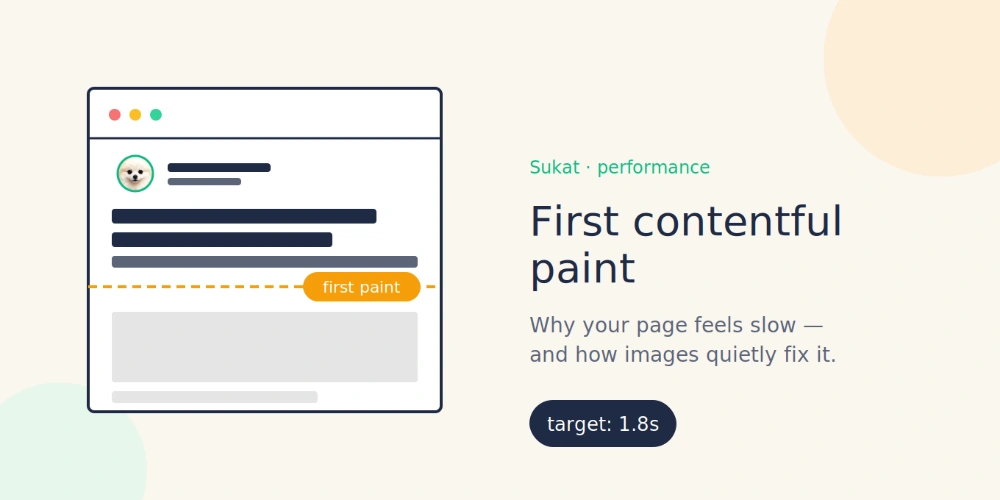
First Contentful Paint is the moment the browser paints the first piece of meaningful content on the page. Could be a logo, a headline, a background, an icon. Whatever the user first perceives as "something is happening."
Google's thresholds:
- Under 1.8s: good
- 1.8 to 3s: needs work
- Over 3s: bad
That last bucket is where most unoptimized sites land.
Why images slow it down, even when they're not first
Picture how a page loads. The browser gets the HTML, then immediately starts pulling everything the HTML references: stylesheets, scripts, fonts, images. All of them compete for the same bandwidth pipe.
If your homepage carries a 2 MB hero image and three more 1 MB product photos, that pipe is jammed before the browser can finish laying out the page. Your critical CSS arrives late. Your fonts arrive later. Your first paint waits.
This is the part developers miss. A heavy image below the fold still slows FCP, because the browser is still trying to download it during the same window in which it needs to paint anything at all.
Cut the image weight, and everything else moves through faster. Including the text and styles that drive FCP.
The format problem
Most sites still serve JPEG and PNG. Both formats are 25 years old and dramatically less efficient than WebP, which is now supported in every browser anyone uses.
The math: a 1 MB JPEG becomes a 300 KB WebP without any visible quality loss. Across a homepage with five or six images, you save a few megabytes. That's a couple of seconds of bandwidth, gone.
The reason this doesn't happen: optimizing images by hand sucks. Open each image, pick a quality setting, export, generate WebP, generate fallback, update HTML or the CMS. For one image, fine. For a real site, no.
How Sukat helps
Sukat is the tool I built to skip all of that.
You drop an image in. Type the file size you want, 150 KB, 200 KB, whatever you've budgeted. Sukat runs a binary search to find the highest quality that fits under your ceiling, converts to WebP, and gives you the file. No account, no upload, no watermark. The image never leaves your browser.
For FCP work, the workflow is:
- Run PageSpeed Insights. Note which images are over budget.
- Pick targets based on placement. Hero: 200 KB. Below-fold product: 100 KB.
- Drop them into Sukat one at a time, or batch them.
- Replace the originals in your CMS.
A few minutes per page. The harder part is deciding what your budget should be. To find every oversized image on a live page before you start, run Sukat Inspector and let it sort the heaviest offenders to the top.
What you'll actually see
Results vary, but the cleanest case I had was a WooCommerce store where FCP sat at 3.4s. Cut the hero image from 1.6 MB to 220 KB, dropped FCP to 1.6s. One change.
On sites with other problems — render-blocking third-party scripts, oversized fonts, slow server response — image work is one piece. You'll move the metric but not always into the green on its own.
Image weight comes first, though. The browser's render pipeline can't show you the rest of the page until it has the bandwidth to do so, and unoptimized images are usually what's blocking that bandwidth.
If your FCP has been stuck above 3 seconds, start there.
Frequently asked questions
What counts as a good First Contentful Paint?
Google's thresholds are: under 1.8 seconds is good, 1.8 to 3 seconds needs work, and over 3 seconds is bad. Most unoptimized sites land in that last bucket.
Can a below-the-fold image really slow my FCP?
Yes. The browser starts downloading every image the HTML references at once, so a heavy below-the-fold image competes for the same bandwidth your critical CSS, fonts, and first paint need. Until that pipe clears, the first paint waits.
How much smaller is WebP than JPEG?
A 1 MB JPEG typically becomes around a 300 KB WebP with no visible quality loss. Across a homepage of five or six images that's a few megabytes — a couple of seconds of bandwidth — saved. WebP is supported in every browser anyone uses.
Will compressing images alone get my FCP into the green?
Often, but not always. One WooCommerce store dropped from 3.4s to 1.6s by cutting a single hero from 1.6 MB to 220 KB. On sites with render-blocking scripts, oversized fonts, or a slow server, image work moves the metric but is only one piece.

About Sukat
Sukat builds free, privacy-first browser tools for compressing images and verifying published content. Everything runs in your browser — nothing is uploaded.