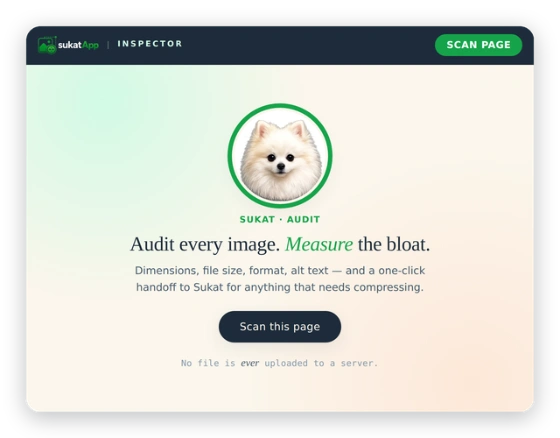
Every image on the page, listed by file size and format. Flagged
when its natural size dwarfs what the page renders — the
served-too-large files that drag down Largest Contentful Paint.
Locate instantly
Hover any row in the audit and the matching image is outlined
and scrolled into view — find the offending image without
opening DevTools.
One-click compress
Send one oversized image — or every flagged image — to Sukat in
a single tab. Sukat takes the batch and hands you a ZIP. No
upload, no account, no queue.
See it in action
Five clicks from "is this page slow?" to a folder of compressed images.
Audit results — every image, sorted by sizeHover to locate the image on the pageSend the whole batch to Sukat with one click
Privacy by design
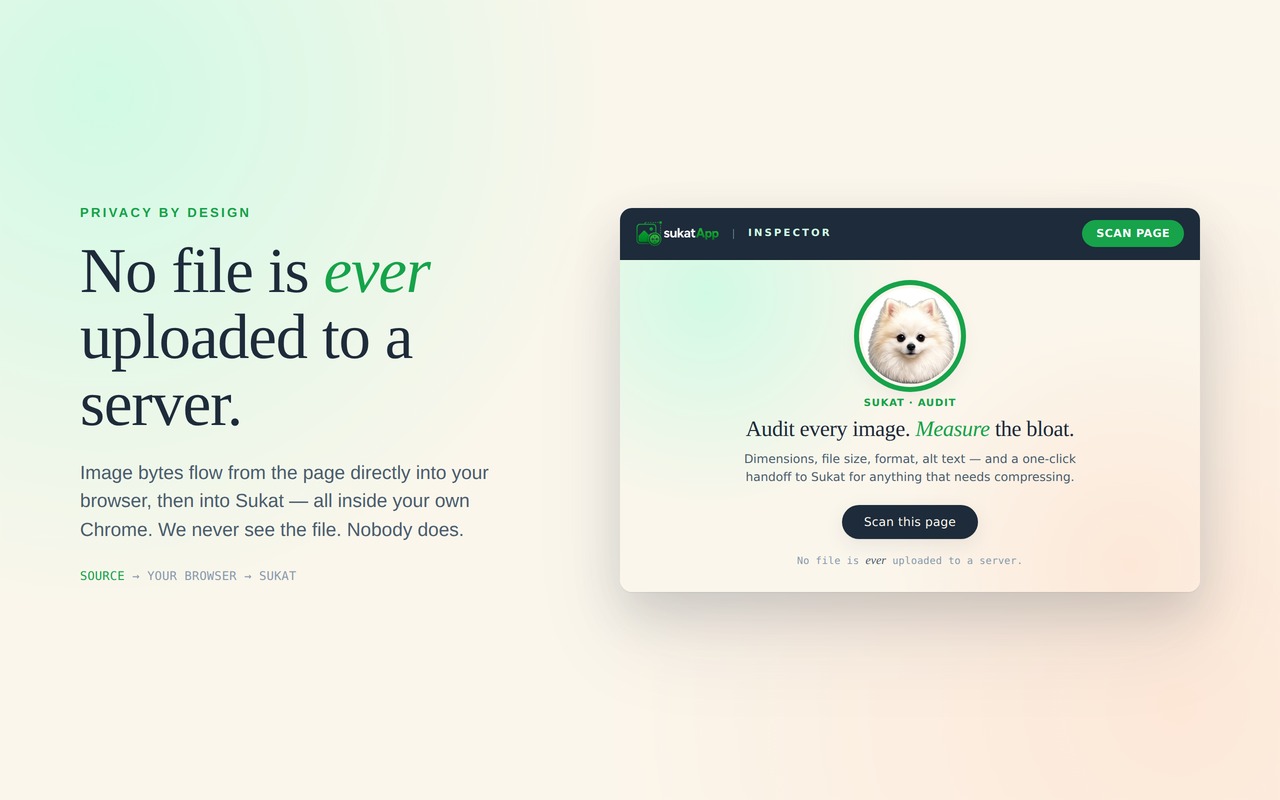
No file is ever uploaded to a server.
The extension fetches an image's bytes from the host where it
lives (your CDN, the site's origin server) and passes them to
the open Sukat tab using Chrome's local inter-process messaging.
The bytes travel inside your own browser — from
the extension to Sukat — and are then compressed by Sukat's
existing Canvas pipeline. No backend. No transit. No exception.
Every public release of Sukat Inspector, dated and versioned. Updates ship through the Chrome Web Store — if auto-updates are on, you're already on the latest.
v1.3.0
CurrentFeature
A redesigned results view, a new Weight treemap that shows where a page's image weight goes, and an accuracy fix for image dimensions on lazy-loaded pages.
Added
Weight view for content images. A toggle beside the Content images heading switches between List (the familiar card list) and Weight — every image on the page laid out as a treemap where each tile's size is proportional to its file size, so the heaviest images are the largest tiles and obvious at a glance. Tiles are tinted by weight (over 1 MB, over 100 KB, under 100 KB); hover to see an image clearly, click to open the original in a new tab. The view fills the panel and re-lays itself when you resize it.
Per-image weight bars. Every image card now carries a small bar showing its share of the page's total image weight, so you can see which images pull the most weight without leaving the list.
Hidden images are listed. Images present in the page but with no layout box — inactive carousel slides, off-screen menu backgrounds, elements hidden with display: none — are now collected into their own Hidden group at the bottom of the list rather than dropped. They can't be highlighted on the page (there's nothing to point at), and each carries a short note explaining why.
Jump between groups. Each group heading — Needs attention, Looks good, Hidden — now links to the others with a count, so you can move straight to the group you want on a long page.
Improved
Accurate dimensions on lazy-loaded pages. Images that load lazily — common on WordPress and most modern sites — could previously report a small placeholder size instead of the real image, so a 150×150 image might read as 50×50. Inspector now verifies the true dimensions of every lazy image, so the numbers are correct regardless of how the page loads them.
Redesigned results. A cleaner command bar with the format filter, page-weight controls, and bulk Optimise action; group headings tinted by severity, with counts; a copy button on alt text so you can lift the exact alt straight from a card; and the Social & SEO section now expands into a tidy panel.
More reliable scans. Pressing Scan page now reloads the page and waits for it to settle before auditing, so a scan always reflects the current state of the page rather than a half-loaded one.
Fixed
The stat-filter chip could overlap the Optimise button. On a narrow side panel a chip such as “Oversized 3” could overflow its row and sit on top of Optimise, so dismissing a filter could trigger a bulk action by mistake. The controls now stay clear of one another at every width.
The search field's clear button now hides correctly when the field is empty.
Various spacing and layout refinements across the results view.
A reliability and polish release: more accurate broken-image detection, a tidier audit layout, and hardened exports.
Fixed
Phantom “broken” flags on protected images. Inspector now reports an image as broken only on a genuine 404 or 410 response. A 403 or 401 from a hotlink or referer rule — common on WordPress and CDN-protected sites — is treated as an access restriction rather than a broken image, so images that load fine for visitors no longer trigger false broken warnings.
CSS background and lazy-loaded images are no longer mislabeled when a site blocks the extension's request for them.
Improved
File size and format now share a single line in every image row (for example, 56.9 KB · JPG), making the list easier to scan.
Social & SEO rows combine dimensions, format, and file size onto one data line (for example, 1200×630 · WEBP · 73.9 KB), with the action button kept on its own.
Oversized social images — anything heavy or over 100 KB — are now clearly highlighted, so large cards and favicons are easy to catch.
Added
Collapsible sections for Page Metadata, Social & SEO Images, and Page Images.
Live thumbnail previews for og:image and twitter:image — a true look at what social platforms will display.
One-click capture of a page-metadata screenshot.
A > 100 KB compression-opportunity flag on social and SEO images.
“Original” and “Page-displayed” choices when compressing an image from the right-click menu.
Privacy & performance
Fonts are fully self-hosted. Inspector makes no external font requests, and the panel works entirely offline.
Security
CSV export is hardened against spreadsheet formula injection, so exported audits are safe to open in Excel, Google Sheets, and LibreOffice.
The connection used for one-click compression to Sukat has been tightened with stricter origin and address checks.
The right-click menu gains Original vs Page-displayed sizing with live dimensions, multiple Compress clicks now collect into a single Sukat tab, and a new Social card preview catches broken or wrong-shape og:images that fly under the radar everywhere else.
Added
Right-click submenu with Original vs Page-displayed.Compress with Sukat now opens a submenu with two choices — Original (full-resolution bytes) or Page-displayed (resized to what the page actually renders the image at). Each option shows the live dimensions and an estimated file size, so you can pick the right trade-off before clicking. Dimensions appear instantly; size estimates fill in moments later via a background HEAD request.
Multiple compresses collect into one Sukat tab. Click Compress on image 1, then image 2, then image 3 — they all queue into the same Sukat tab instead of opening a fresh tab each time. The queue persists across the additional clicks (and survives a manual page refresh), and clears itself when you close the tab or compress the batch.
Configurable Heavy threshold. A new gear icon in the toolbar opens Settings, where you can set the file-size ceiling above which images get flagged as heavy. Defaults to 1 MB; range from 1 KB to 100 MB; syncs across your Chrome installs via Chrome's built-in profile sync.
Social card preview. Expand the Social & SEO Images section and click Preview cards to see how the page renders on Facebook, LinkedIn, and X — using the page's actual og:image, og:title, twitter:image, and twitter:card values. Each card mirrors the platform's real typography, spacing, and image aspect ratios, so a title that gets truncated on X (but not on Facebook) is visible at a glance.
Broken social image detection. If og:image or twitter:image points to a URL that returns a 404 (or any non-2xx status), the row gets a red broken pill and the issue is called out at the top of the section. A broken og:image looks fine in your HTML — the tag is there, the URL parses — so it can quietly break every share for weeks. Now it surfaces immediately.
Wrong-aspect and too-small warnings on essential social images. If your og:image is shaped wrong for Facebook (which wants 1.91:1) or your twitter:image is too small for the chosen card type, you'll see both a per-image pill and a summary at the top of the section.
Changed
Faster image hand-off to Sukat. The bridge between Inspector and the Sukat compressor now uses a binary-data transport instead of base64-encoded strings. Large images (multi-MB hero shots, photography portfolios) no longer hit the previous timeout — typical hand-off is 2–5× faster.
One Sukat tab, reused. Clicking Compress no longer opens a new tab each time — Inspector finds your existing sukatapp.com tab and reuses it. Combined with the additive queue above, an audit-then-compress session no longer leaves a trail of half a dozen Sukat tabs.
Typography refinements. Cleaner numeric readout in the stat grid (tabular sans replacing italic serif for the values), lighter modal headings, calmer empty-state copy. The numbers now line up cleanly across cards and don't jitter as counts change.
Per-row pills include wrong-shape and too-small. These already had per-image checks running but were only surfacing through the dimension warnings — they now show as proper toolbar-style pills alongside the heavy flag.
Fixed
twitter:image shape detection. The card-type lookup was reading from the wrong path and defaulting twitter:card to undefined — which meant twitter:image was always evaluated as the small summary card (expecting 1:1), even when the page declared summary_large_image (which wants 1.91:1). Pages with perfectly correct 1.91:1 Twitter images were getting falsely flagged. Fixed.
Hover-highlight console spam. In side-panel mode, navigating the scanned tab away leaves the audit visible but the in-page highlight script is gone. The previous behaviour logged a warning on every subsequent row hover; the panel error tray would fill up. Inspector now notices the page has changed on the first failure and silently stops trying until the next scan.
Cold service-worker race on Compress. First Compress click after Chrome had idled out the extension's background service worker would occasionally fail with a connection error. Inspector now retries the hand-off once after a short delay, and falls back to opening a fresh tab if the retry also fails — so the click always does something.
Right-click after extension reload. Right-clicking an image in an already-open tab (without refreshing the page after an extension update) now shows the size details immediately. Previously you had to refresh the page first to get the new content script in place.
Two new collapsible audit panels at the top of the popup — Page Metadata and Social & SEO Images — plus a Heavy flag that catches the byte-size cases the dimension-only audit was missing.
Added
Page Metadata audit panel. New collapsible section at the top of the popup that audits the current page's <title>, meta description, and canonical URL. Each card shows a live character count with warn/error thresholds (title: warn at 60c, error at 70c, warn under 30c; description: warn at 160c, error at 170c, warn under 70c) and a one-click copy button. Canonical is checked for presence and for matching the current URL (origin + path, ignoring query and fragment). When every check passes the section collapses to a single all good status.
Social & SEO Images section. New collapsible section that audits the page's social and SEO image references — og:image, twitter:image, favicon, manifest icons. The header shows the count detected so you can see at a glance whether the page is complete on social previews.
Heavy flag. A new byte-based predicate that flags any image over 1 MB regardless of dimensions. Surfaces in the stats row and as a new Heavy filter pill. A 1.99 MB photo served at its natural size — previously invisible to the dimension-only audit — now surfaces immediately.
Inline SVG count in the footer. A new +N inline SVGs on page line surfaces SVG elements as context rather than mixing them into the file audit, since inline SVGs aren't downloadable files and don't belong in the compress pipeline.
Changed
Bulk button label is action-accurate.Compress N flagged (was Compress N oversized). It sends every oversized and heavy image in one batch.
CSV export gains a heavy column so the action list in the spreadsheet matches what's in the popup.
Fixed
Lazy images now get measured. An off-DOM Image() probe resolves naturalWidth/Height for images below the fold, so lazy-loaded photos stop silently skipping the audit. Each lazy image carries a lazy tag in its row so the cause of the catch is visible. The audit re-runs after the probe and after each file-size batch, so flags light up as data resolves.
A focused security pass on how Inspector builds its UI from page data. No new features, no permission changes, nothing user-visible — just stricter, safer handling under the hood.
Changed
Image-list rows are now built with safe DOM APIs. Page-supplied strings (image URLs, alt text, filenames, fetch errors) are inserted as text rather than parsed as HTML. Defence-in-depth against unusual characters in audited pages.
Explicit Content Security Policy added to the extension's pages, locking down script and resource sources beyond Chrome's defaults.
URL scheme allowlist. Only http: and https: links are followed when Inspector opens a tab or loads a thumbnail. Anything else is rejected before the request is made.
Inline event handlers removed. The broken-image fallback now uses an attached event listener instead of an inline onerror attribute.
Images now list in the order they appear on the page, a resizable side panel keeps Inspector open while you work, you can scope by image format, and oversized images carry a clear “N× too big” badge. Larger pages also send more images per batch.
Added
Page-appearance order is the new default sort. Images list top-to-bottom matching how they appear on the page, so an audit reads like scrolling. Click the “Size” header any time to flip back to heaviest-first.
Side panel. A new toolbar button opens Inspector beside the page and keeps it open while you click around — ideal for hover-to-locate on long pages. Works at panel widths from 320–450 px.
Format filter. A dropdown next to the filter pills lets you scope to a single image format (JPG, PNG, WebP, GIF, SVG, AVIF…). Options populate dynamically from whatever the scan finds.
“N× too big” badge on oversized rows. Surfaces the actionable multiple at a glance — e.g. a photo rendered at 1× but served at 4× flags as 4× too big.
Changed
Rendered dimensions are now legible. The displayed size (what the page actually shows) sits clearly under the natural size, so it's obvious when an image is delivered at multiples of its rendered footprint.
“Image” column header sorts by page order instead of alphabetical-by-URL. Click to toggle top-to-bottom / bottom-to-top.
Bulk-compress cap raised from 50 to 200 images per batch. Large galleries and e-commerce category pages now send completely in one pass.
First public release on the Chrome Web Store. Inspector audits images on any page, flags oversized files, and hands them off to Sukat in one click — without anything leaving the browser.
Added
Page image audit. Lists every image on the active tab with its rendered dimensions, file size, format, and alt text. Oversized files are flagged inline so the worst offenders sort themselves to the top.
CSV export. Download the full audit as a CSV — sortable, filterable, easy to hand to a developer or paste into a brief.
Right-click “Compress with Sukat”. Adds a context-menu action on any image. Sends it straight to sukatapp.com with the image pre-loaded and the source tagged.
One-click handoff to Sukat. Both the audit panel and the right-click action deep-link to sukatapp.com/?import=<url>&ref=<source> so the round-trip stays clean and traceable.
Privacy-preserving bridge. The extension fetches each image with its own host permissions, encodes it as base64, and passes it to the open Sukat tab via chrome.runtime.sendMessage. The image is never uploaded — Sukat's privacy promise carries over end-to-end.
Stable extension ID. The manifest pins the development ID so local builds and the published version stay distinguishable when both are installed.
Want a heads-up when Inspector updates? Drop a line and Bernard will tag you on the next release post.
Common questions
Does it cost anything?
No. Free forever, no account required, no premium tier, no ads. Same model as the rest of Sukat.
Will it slow my browser down?
No — the extension does nothing unless you click it. It doesn't run on every page you visit, doesn't track you, doesn't sit in the background fetching things. Open the popup, click Scan, and only then does it audit the current page.
What sites does it work on?
Any website. WordPress sites, Shopify stores, custom React apps, static blogs — anywhere there's an <img> tag or CSS background image, Sukat Inspector can audit it.
What's the difference between Sukat and Sukat Inspector?
Sukat (this website) is for compressing images you have — drag in a file, hit a file size target, download. Sukat Inspector is for finding images that need compressing on a webpage you're looking at. Use Inspector to find them, Sukat to fix them. The two pipe directly into each other.
Is my data really safe?
Yes. The extension has no backend — there is literally no server we control that could receive your data. We don't use Google Analytics, advertising scripts, or any tracking in the extension itself. The only thing leaving your browser is the request to fetch image bytes from their original host — the same kind of request your browser makes when it loads the page normally. Full disclosure here.
Firefox / Safari / Edge support?
Chrome and Chromium-based browsers (Edge, Brave, Arc, Vivaldi) work today. Firefox support is on the roadmap. Safari requires significant rework due to Apple's extension model and isn't planned yet.