Copy rarely travels from a document to a live page untouched. It passes through a CMS, a developer, an agency, or a content team, and somewhere along the way a paragraph gets dropped, a sentence gets reworded, a block gets pasted twice, or a section ends up in the wrong order. By the time anyone notices, the page is already public — and catching the gap by eye, flipping between a document and a browser tab, is slow and easy to get wrong.
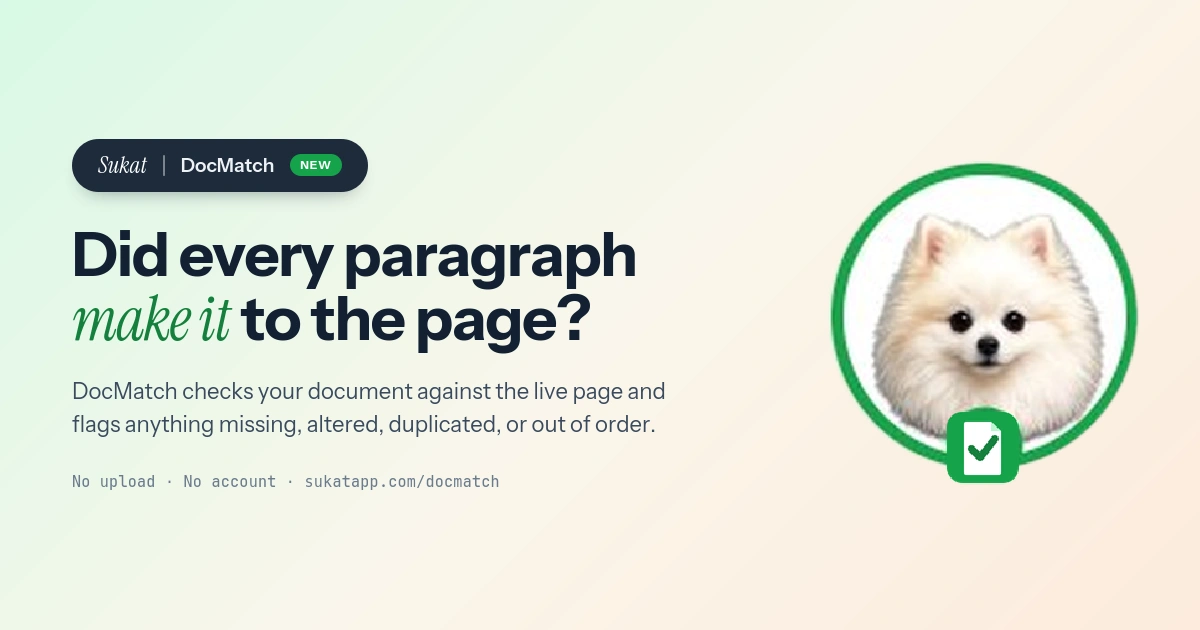
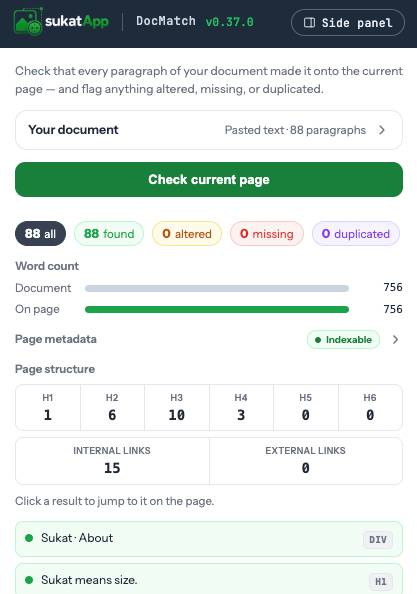
Sukat DocMatch is built for that exact check. It reads every paragraph of a document and compares it against the page open in the current tab, then flags whatever didn't make it: missing, altered, duplicated, or out of order. When you ship the screenshots that go with the copy, you can size them with Sukat's image compressor or audit a page's images with Sukat Inspector.
A page that looks finished and a page that matches the approved copy are not always the same page.
After a CMS migration or rebuild
When a site changes platforms or gets rebuilt, content is re-imported in bulk — and bulk imports lose things. A trailing paragraph gets truncated, a callout doesn't map to a field, an entire section quietly fails to come across. Open the source document in DocMatch on the migrated page and every paragraph that didn't survive the move surfaces as missing, while anything that was reflowed or reworded during the import surfaces as altered. Instead of trusting that the migration "looks right," you get a paragraph-level account of what actually carried over.
When someone else publishes your copy
Approved copy handed off to an agency, a freelancer, or a junior editor doesn't always reach the page word for word. A headline gets "improved," a sentence gets trimmed to fit a template, a disclaimer gets left out. DocMatch turns spot-the-difference into a checklist: the page either matches the approved document, or it names the paragraphs that don't — so the review is about the few items that drifted, not re-reading the whole page line by line.
Catching the changes that are easy to miss
The risky edits are rarely the obvious ones. A paragraph that is ninety percent the same still reads fine at a glance, but it may have lost a key clause, a price, or a legal line. DocMatch scores partial matches: a paragraph that is fully present reads as found, while one that is close but not exact is flagged altered with a coverage score. The words added on the page are struck through in red, and any words that were dropped are pinned, so the precise difference is visible instead of buried in two near-identical blocks of text.
Duplicated and out-of-order content
Some slips are structural rather than textual. A block pasted twice — an easy copy-paste mistake, and one that can read as duplicate content — is flagged duplicated. A paragraph that appears on the page but in a different sequence than the document is flagged out of order, with a marker showing where it was expected. Both are the kind of thing a manual read tends to skip right over, because each individual paragraph looks correct on its own.
Checking just part of a page
A published page is rarely only your document. It carries navigation, related links, footers, and repeated calls to action that have nothing to do with the copy being verified. DocMatch keeps the check focused: you can narrow it to a range of the document, draw a box around the section of the page that matters, and strip out boilerplate you do not want compared. The comparison stays on the content under review instead of drowning in the page's furniture.
How it works
Paste text or open a document, then run the check against the page already loaded in the tab. Every paragraph gets one of five verdicts — found, altered, missing, duplicated, or out of order — and clicking any result jumps straight to it on the page, with a badge showing where it landed, whether that is a heading, a paragraph, a list item, or a table cell. Next to the results sits a document-versus-page word count, the page's metadata, and an outline of its headings and links, so a content check and a quick structural check happen in the same pass.
Nothing leaves the browser
The document and the page text are read and compared entirely inside the browser. There is no upload, no account, and no server in the loop — the file and the page never leave the tab. That makes DocMatch safe to run on unpublished staging pages, client work under NDA, and internal documents, because none of it is transmitted anywhere.
A page that looks finished and a page that matches the approved copy are not always the same page. DocMatch closes that gap in a few seconds: drop in the document, check it against the live page, and read exactly which paragraphs made it and which didn't. It is free, with no watermark and no sign-in — add it to Chrome and run the check on any page at sukatapp.com/docmatch.
Frequently asked questions
Does DocMatch upload my document or the page?
No. The document and the page text are read and compared entirely in your browser. Nothing is sent to a server, so it is safe on unpublished and confidential pages.
Can I use it on a staging or password-protected page?
Yes. DocMatch checks the page already open in your tab, so it works on any page you can view, including local, staging, and signed-in pages.
What document formats does it read?
It reads common document formats, including Word and OpenDocument files, rich text, Markdown, HTML, and plain text. You can also paste text directly.
Is Sukat DocMatch free?
Yes. DocMatch is free, with no watermark and no account.

About Sukat
Sukat builds free, privacy-first browser tools for compressing images and verifying published content. Everything runs in your browser — nothing is uploaded.