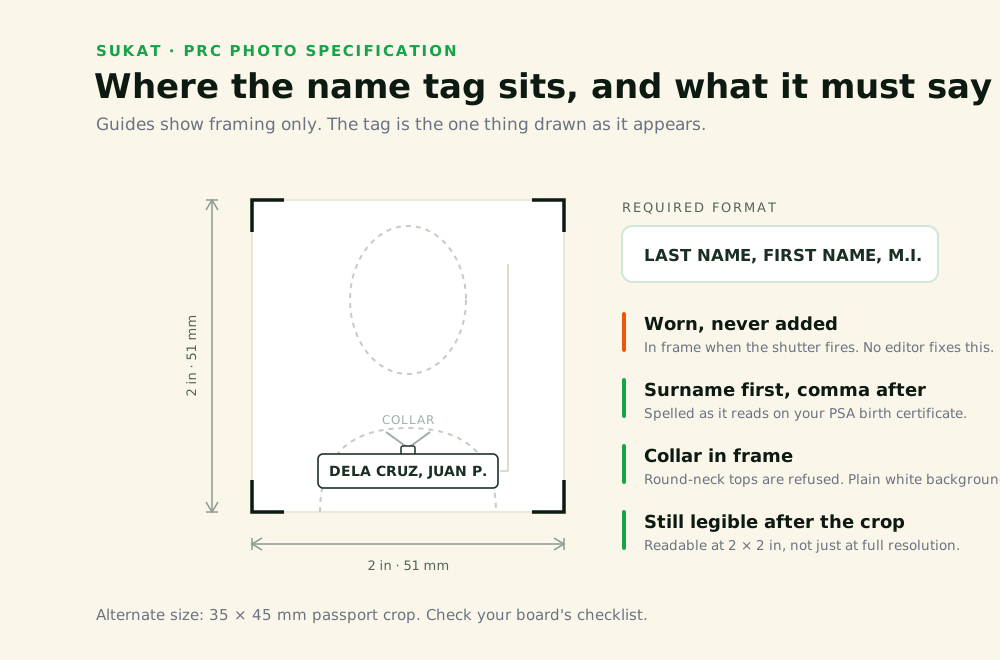
The name tag trips up more PRC applicants than the background or the file size, precisely because it is unfamiliar. A passport photo, an NBI photo, a school ID photo — none of them ask you to wear your name. So people submit an otherwise-clean shot, and it comes back rejected. This page covers the exact format the tag has to follow, why it has to be in the shot itself, and how to size and compress the finished photo for a LERIS upload.
The Required Format
The tag shows your complete name in this order:
LAST NAME, FIRST NAME, MIDDLE INITIAL Points that cause refusals:
Surname first
Not first name first. The comma after the surname is part of the format.
Complete name
Nicknames and shortened forms are refused. The name must match your PSA birth certificate, the same document your LERIS account details are checked against.
Middle initial, not middle name
… in the standard format — though some boards accept the full middle name. Check your board’s checklist.
Legible at final size
The tag has to be readable after the photo is cropped to 2 × 2 or 35 × 45 mm. Text that looks clear on a phone screen at full resolution can become unreadable once the image is cropped down.
The Tag Has to Be in the Photo
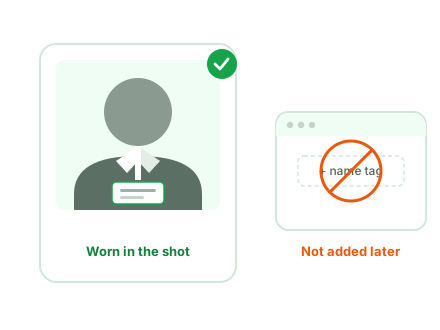
This is worth stating directly, because it is the most common misunderstanding: the name tag is physically worn when the photo is taken. It is not added afterward in an editor. The same applies to the collared top and the plain white background — those are conditions of the shot. Sukat crops, sets size, and compresses the file. It does not add a collar or a name tag to a photo that doesn’t have one. Get the shot right, then use the tool for everything downstream of it.
Preparing the Photo After the Shot
Once the photo is taken with the tag visible:
- Drop the file onto the tool. HEIC from an iPhone works as input.
- Crop to 2 × 2 inches or passport size (35 × 45 mm), depending on your board. Watch the tag stays legible inside the crop — this is the step where name tags get cut off or shrunk past readability.
- Set the target file size under 2 MB for a LERIS upload.
- Export as JPG.
Everything runs in the browser. The file never leaves the device.
Crop and compress my PRC photo →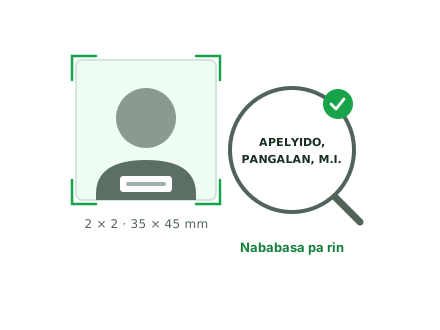
Sukat ng Name Tag sa PRC Photo
Ang name tag ay dapat nakasuot sa mismong litrato — hindi ito
idinadagdag pagkatapos. Ang format ay
APELYIDO, PANGALAN, MIDDLE INITIAL, at kailangang
mabasa pa rin ito kapag na-crop na sa 2 × 2 o
35 × 45 mm. Ang buong checklist ng PRC ay nasa
PRC photo requirements page.