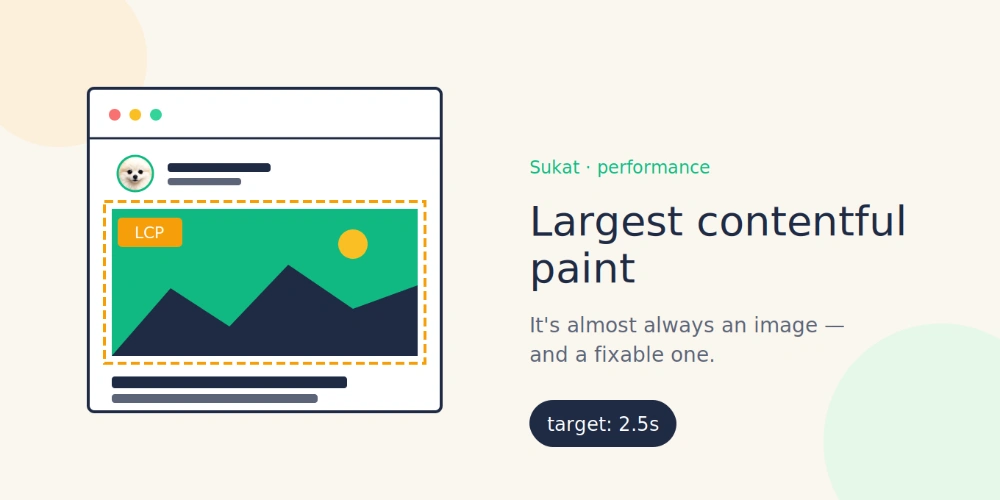
Most teams pour weeks into their copy, then upload images straight from a phone or a stock library and never think about them again. That habit is expensive. On a typical page, images are the heaviest thing the browser has to download, and the largest one is usually the element Google measures for Largest Contentful Paint — the Core Web Vitals metric tied to how fast a page feels. A handful of oversized files can drag down load time, Core Web Vitals, and search rankings without ever showing an obvious error.
Image problems are easy to miss because nothing breaks. The picture renders, the layout looks right, and the cost stays invisible: a slower LCP, weaker image-search visibility, and missing signals that both screen readers and AI search engines rely on. The only way to catch them is to look at every image on the page deliberately — which is exactly what an image audit does.
What an image audit checks
A complete audit walks through every image on the page and flags the ones working against you.
Oversized images
A photo saved at 4000 pixels wide but displayed in a 400-pixel column ships roughly ten times the data it needs. The visitor never sees the extra detail; their connection just pays for it. Oversized images are the single most common cause of bloated pages.
Upscaled images
The opposite problem: a small image stretched to fill a larger slot. It loads quickly but looks soft and pixelated, which undercuts the polish of an otherwise clean page.
Heavy files
Any single image past a sensible weight threshold — often a stray PNG export or an uncompressed hero shot — deserves a second look. One heavy file can outweigh the rest of the page combined.
Outdated formats
A JPEG or PNG can often be cut by a third or more simply by switching to WebP or AVIF at the same visual quality. Pages still serving years-old JPEGs are leaving easy speed on the table.
Missing alt text
Alt text is no longer just an accessibility checkbox. It tells screen readers what an image shows, helps the image rank in Google Images, and increasingly feeds how AI search engines understand and cite a page. A missing alt attribute is a missed signal on three fronts at once.
Broken images
An image that returns an error loads as nothing — a blank box that erodes trust and wastes a request. These are easy to introduce when a URL changes and easy to overlook until someone points them out.
How to run the audit without a paid tool
The usual advice is to crawl a whole site with a desktop SEO suite, but that is overkill for checking the images on a page you are looking at right now. Sukat Inspector runs the same audit directly in the browser. Open it on any page and it lists every image with its dimensions, file size, and format, then flags the oversized, upscaled, heavy, wrong-format, alt-less, and broken ones. A filter narrows the list to just the flagged images, so the worst offenders surface first.
Because the inspection happens locally in the browser, nothing is uploaded to a server — the same privacy model behind everything Sukat builds. There is no account, no crawl quota, and no waiting on a report.
Fixing what the audit finds
A flag is only useful if the fix is quick. Most of what an audit surfaces points to one of a few actions:
- Oversized, heavy, or wrong-format images: compress them to an exact size or convert them to WebP or AVIF. The Sukat compressor hits a precise KB target in the browser, so a hero image can be given a byte budget and held to it.
- Upscaled images: swap in a version at the resolution the layout actually uses, rather than stretching a smaller file.
- Missing alt text: write a short, specific description of what each image shows — what it depicts, not a keyword list.
- Broken images: correct or replace the URL so the request resolves.
Working through a flagged list heaviest-and-most-broken first usually recovers the most page weight in the least time. The image size guide lists sensible targets per platform when it is time to compress.
Why this is worth doing now
Image optimization is one of the few changes that improves page speed, Core Web Vitals, accessibility, image-search visibility, and AI citation readiness all at once — and it rarely requires touching the rest of the site. The hard part has always been knowing which images to fix. An audit answers that in a single pass, and Sukat Inspector makes that pass free, private, and fast. Run it on a page that matters, fix what comes back flagged, and compress the rest down to size with Sukat.
Frequently asked questions
What does an image audit check for?
It walks every image on the page and flags the ones working against you: oversized files, upscaled images stretched past their resolution, unusually heavy files, outdated formats like old JPEG or PNG, missing alt text, and broken images that return an error.
Does auditing images with Sukat Inspector upload them?
No. The inspection runs locally in your browser, so nothing is uploaded to a server. There is no account, no crawl quota, and no waiting on a report.
Why does missing alt text matter for SEO?
Alt text tells screen readers what an image shows, helps the image rank in Google Images, and increasingly feeds how AI search engines understand and cite a page. A missing alt attribute is a missed signal on all three fronts at once.
How do I fix the images an audit flags?
Compress oversized, heavy, or wrong-format images to an exact size or convert them to WebP or AVIF; swap upscaled images for a version at the resolution the layout uses; write a short, specific alt description; and correct or replace broken image URLs.

About Sukat
Sukat builds free, privacy-first browser tools for compressing images and verifying published content. Everything runs in your browser — nothing is uploaded.