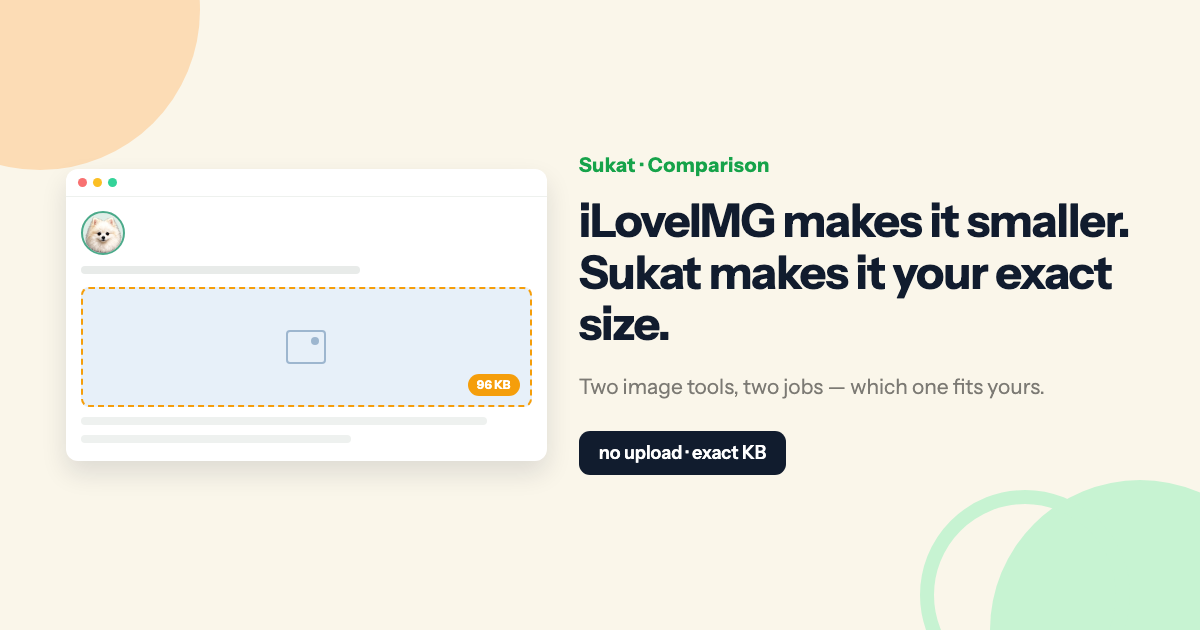
iLoveIMG is one of the best-known image toolkits on the web. It compresses, resizes, crops, converts, rotates, watermarks, upscales, and removes backgrounds — all from the browser, all under one roof, backed by the same team behind iLovePDF. Sukat does far less on purpose: it takes any image and compresses it to a file size you choose, and it does that one thing without ever uploading your file.
On the surface both tools answer the same request — "make this image smaller." But two differences decide almost every real use case: whether you can land on an exact file size, and whether your file ever leaves your device. Get those two straight and it is usually obvious which tool the job calls for.
What iLoveIMG does well
iLoveIMG is a hosted, all-in-one image suite. If a task involves an image, there is probably a tool for it: compress, resize by pixels or percentage, crop to common ratios, convert to and from JPG, rotate, add a watermark, upscale, remove a background, even turn a webpage into an image. It connects to Google Drive and Dropbox, processes on fast servers, and encrypts uploads over HTTPS under an ISO/IEC 27001 program. For a marketer or a small team that wants a broad, familiar toolbox in one tab, it is a genuinely strong pick.
Its compressor is built for a single job: make a file smaller at a good quality-to-size ratio, automatically. You add images, it compresses them, and it reports the percentage saved. There is no quality slider and no field to type a target — the tool decides the trade-off for you. That is a feature, not a flaw, when all you want is "smaller, no fuss."
What Sukat does differently
Sukat is a single-purpose compressor. You drop an image, type a target — say 100 KB — and it returns a file at or under that size, converting to WebP or JPEG along the way. Under the hood it runs a binary search across quality levels to find the highest quality that still fits your ceiling, so the result is as sharp as the target allows. And the whole process runs in your browser through the Canvas API. Nothing uploads. How It Works walks through the encoder behavior if you want the mechanics.
Difference one — an exact size vs. "as small as possible"
This is the difference that matters most. iLoveIMG compresses to whatever its algorithm judges to be the best ratio; you do not get to set a number. That is fine for shrinking blog photos, where "roughly 60% smaller" is a perfectly good outcome and nobody is checking the exact figure.
It stops being fine the moment something demands a specific size. Upload portals are unforgiving about this: an exam board that wants a photo under 50 KB, a visa form capped at 240 KB, a job application that rejects anything over 100 KB, a CMS with a hard per-image budget. "Best effort" compression either overshoots the ceiling — and the upload is rejected — or lands so far under it that quality was thrown away for no reason. Sukat is built for exactly this constraint: name the ceiling, and it hits it. That is why reducing an image to a specific KB size and passport and ID photo compression, where the KB limit is a pass-or-fail gate, are Sukat's core use cases rather than an afterthought.
Difference two — where your files go
Everything iLoveIMG does happens on its servers. Your image is uploaded, processed, and then deleted after a window that runs from one to two hours depending on your plan; transfers are encrypted and the company holds a recognized security certification. For a stock photo headed to a public blog, none of that matters.
It starts to matter with sensitive images. A passport scan, a medical or legal document, a headshot, an unreleased product shot, anything under an NDA — plenty of people would simply rather that file never leave the machine. Sukat processes locally, so it cannot upload what it never sends. A quick way to prove it: open Sukat, switch to airplane mode, and compress an image anyway. It still works, because there was never a server in the loop. That is also why it keeps working offline — on a plane, on flaky hotel Wi-Fi, anywhere with no connection at all.
Sukat vs iLoveIMG, side by side
| Sukat | iLoveIMG | |
|---|---|---|
| Compress to an exact KB/MB target | Yes — you set the number | No — automatic ratio only |
| Where files are processed | In your browser — no upload | Uploaded to servers (auto-deleted 1–2 hrs) |
| Works offline | Yes | No — needs a connection |
| Account / signup | None | Free tier; signup & Premium unlock higher limits |
| Batch limits | No hard cap; ZIP download | Batch supported, capped by plan |
| iPhone HEIC input | Yes, directly | Via convert-to-JPG, not the compressor |
| WebP output | Yes | No WebP output |
| Breadth of tools | Focused: compress, crop, background-remove | Broad suite + iLovePDF ecosystem |
| Google Drive / Dropbox | No — local by design | Yes |
One row is worth pulling out: iLoveIMG does not export WebP, and WebP is often the single biggest lever for a faster site. The same photo at the same visible quality is routinely 25–35% smaller as a WebP, which is exactly the kind of saving that moves Largest Contentful Paint and the rest of Core Web Vitals. If web performance is the point, that gap is not a small one.
When iLoveIMG is the right tool
Reach for iLoveIMG when breadth beats precision. You want one place to watermark, convert, rotate, upscale, and remove backgrounds — with PDF tools next door. You are working out of Google Drive or Dropbox. You just want images "smaller" with zero decisions and no particular number in mind. And the images are not sensitive, so a quick server round-trip is no concern. For general, mixed image editing, it earns its popularity.
When Sukat is the right tool
Reach for Sukat when the number matters or the file should not move. You need to land under a specific KB or MB limit for a form, exam, visa, email cap, or performance budget. You are handling something private and want it to stay on your device. You want WebP out for a faster site. You want it to work with no signup, no batch cap, and no internet. Or you are starting from an iPhone HEIC photo and want it handled without a separate conversion step first. When compression is the whole job and the size is non-negotiable, that focus is the advantage.
The bottom line
These are not really rivals so much as different tools for different moments. iLoveIMG is a broad hosted workshop — the right call when you want many kinds of edits in one place. Sukat is a precision compressor — the right call when a file has to hit an exact size, or has to stay on your machine. Plenty of people keep both bookmarked and reach for whichever the task actually needs. If today's task is "get this under X KB without uploading it," that is the one Sukat was built for.
You can try Sukat in the browser at sukatapp.com — drop in an image, type a target size, and watch it land on the number. No upload, no account.
Frequently asked questions
Can iLoveIMG compress to an exact file size?
No. iLoveIMG's compressor is automatic — it picks the trade-off for you and reports the percentage saved, with no field to type a target. Sukat lets you set an exact KB or MB and binary-searches the quality until the file lands at or just under that size.
Does Sukat upload my images the way iLoveIMG does?
No. Sukat runs entirely in your browser via the Canvas API, so the image is never uploaded. iLoveIMG processes images on its servers over an encrypted connection and deletes them after a window (roughly one to two hours depending on plan).
Does iLoveIMG export WebP?
No — iLoveIMG's compressor doesn't output WebP, and WebP is often the single biggest lever for a faster site (the same photo is routinely 25–35% smaller at the same visible quality). Sukat outputs WebP (and JPEG, PNG, AVIF, and ICO).
Can Sukat compress HEIC photos from an iPhone?
Yes. Sukat reads HEIC and AVIF directly, so an iPhone photo compresses without a separate conversion step. iLoveIMG handles HEIC through its convert-to-JPG tool rather than the compressor.

About Sukat
Sukat builds free, privacy-first browser tools for compressing images and verifying published content. Everything runs in your browser — nothing is uploaded.